Rent Affordability Calculator
Open the interactive tool below to enter your details and explore the result.
By Vernon J. DeFlanders Sr. · Updated November 9, 2026
Use this rent affordability calculator resource to prepare a rental comparison based on your own budget. Separate the costs you pay each month from the cash you need before moving. The linked tool helps compare the proposed plan; it does not approve a tenancy or establish what rent a landlord should charge.
For related preparation, visit the Housing pathway.
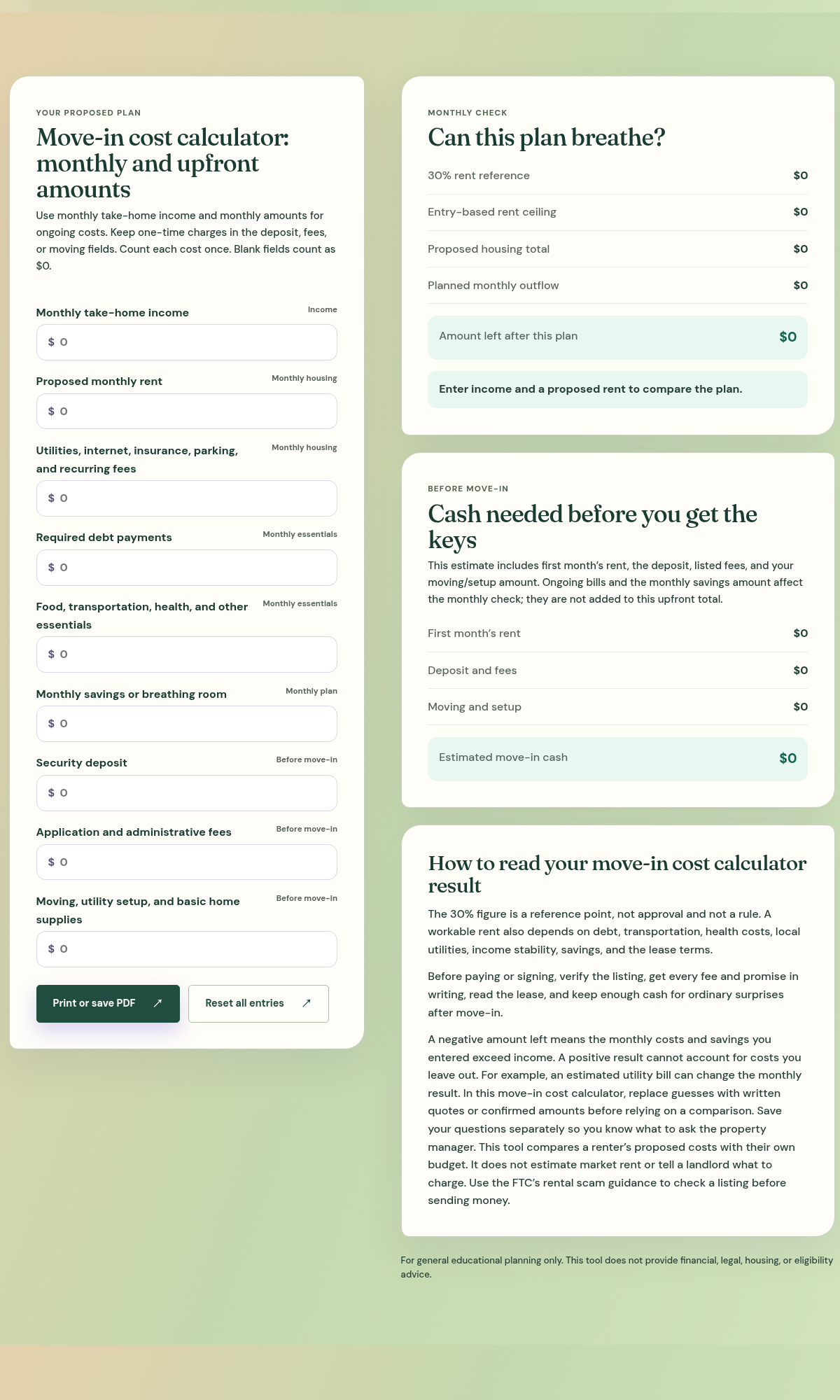
Prepare the rent affordability calculator inputs
Open the interactive tool above and enter monthly take-home income, proposed rent and other recurring housing costs. Include utilities, internet, insurance, parking and recurring fees where they apply. Enter required debt payments, other essentials and monthly savings or breathing room without counting the same cost twice.
Keep one-time charges in the security deposit, application and administrative fees, or moving and setup fields. Blank fields count as zero. Confirm the time period for every figure: an annual insurance amount entered as a monthly cost would distort the comparison.
Check monthly costs and upfront cash separately
The monthly results compare income with housing, essentials and the savings amount you entered. The upfront estimate includes first month’s rent, the deposit, listed fees and moving or setup costs. Ongoing monthly bills and savings affect the monthly check rather than being added again to the upfront total.
The 30% rent figure is a reference, not approval or a universal rule. A negative amount left means the entered plan exceeds income. A positive result cannot account for costs you omitted, uncertain income or a fee that has not yet been confirmed. Compare both results before deciding what to investigate next.
Verify the listing before paying
Replace estimated costs with written information when available, read the lease and keep a separate list of questions. You can change the entries to compare another plan, use Reset all entries for a fresh start, or use Print or save PDF to keep a result. Check the saved output before relying on it.
Use the FTC’s rental scam guidance to check a listing and the person requesting money.