Resume Builder for Young Adults
Open the online edition below to use this interactive tool.
By Vernon J. DeFlanders Sr. · Updated November 9, 2026
Use this resume builder to organize a simple civilian resume draft from facts you can support. Enter relevant experience, education and skills for one role. The preview gives you a document to review, not an automatic application or a guarantee that an employer will accept the format.
For application guidance, visit the Career pathway.
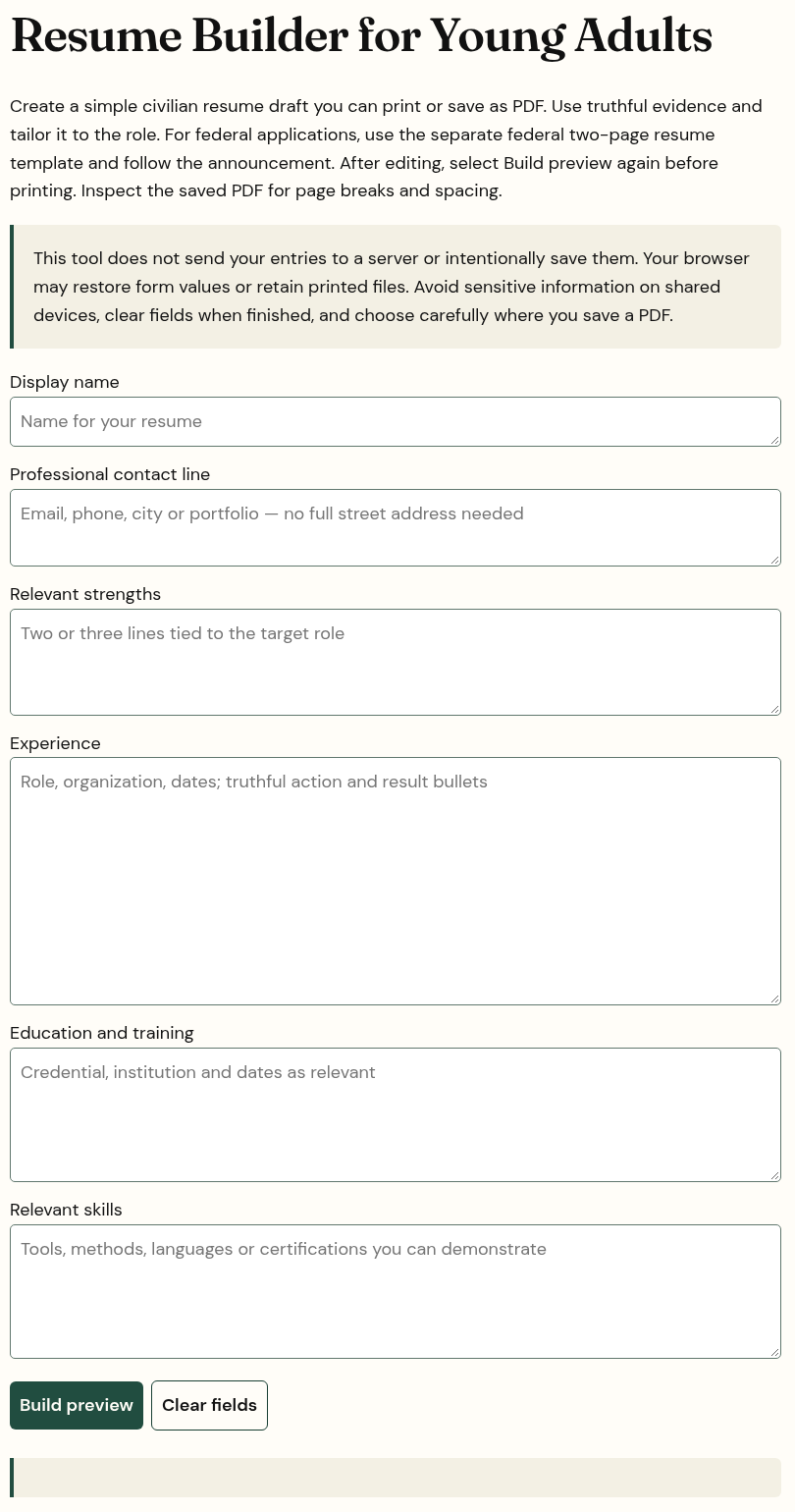
Prepare the resume builder fields
Open the online tool and enter a display name and professional contact line. Add relevant strengths, experience, education and training, and skills. Use plain language and accurate dates or descriptions. You can include relevant projects or unpaid experience when you clearly identify what the work was.
Select Build preview to assemble the information you entered. Blank optional sections are omitted. The tool places your text into the preview; it does not verify credentials, invent accomplishments or check whether a claim matches the vacancy. Compare every statement with your own records.
Rebuild the preview after editing
When you change a field, the preview needs updating and printing is disabled until you select Build preview again. This prevents a saved result from silently using the earlier version of your text. Clear fields removes the entered information and clears the preview when you want to start over.
Use Print / Save PDF only after reviewing the rebuilt preview. Inspect the saved file for page breaks, spacing, incomplete lines and contact details. A correct screen preview alone does not prove that a particular printer or saved PDF will reproduce it as intended.
Match your resume builder draft to the application
This builder creates a civilian resume. For a federal application, use the separate federal materials and follow the announcement’s current instructions. For any role, prioritize relevant evidence and the employer’s requested format rather than adding unsupported keywords. Keep sensitive identity details, confidential employer records and other people’s personal information out of the draft.
The Social Security Administration’s resume guidance reinforces clear formatting, relevant evidence and proofreading.