Side Hustle Tracker
Use the online edition, print the PDF, or download the working materials below.
By Vernon J. DeFlanders Sr. · Updated November 9, 2026
Review your side hustle cash flow
A side hustle can bring in money while also creating costs and recordkeeping work. This tracker helps you record transactions and compare income with expenses. Use it to review cash movement while keeping tax calculations and bank balances separate.
For related practical guidance, visit Money guidance.
Side hustle recordkeeping guidance
Use IRS gig guidance for current recordkeeping and tax information; the running net cash formula below does not calculate taxable profit or tax owed. See IRS gig guidance.
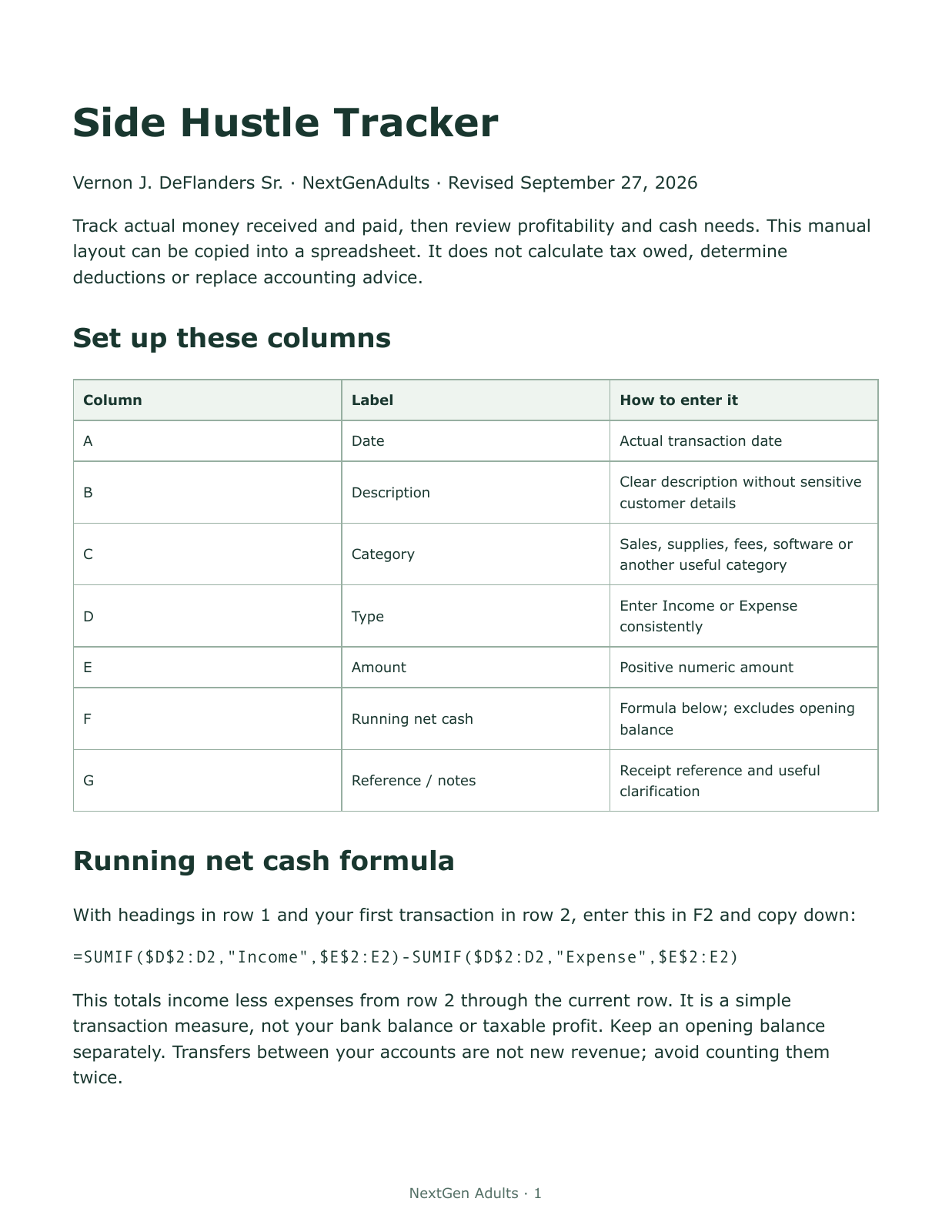
Track actual money received and paid, then review profitability and cash needs. This manual layout can be copied into a spreadsheet. It does not calculate tax owed, determine deductions or replace accounting advice.
Set up these columns
| Column | Label | How to enter it |
|---|---|---|
| A | Date | Actual transaction date |
| B | Description | Clear description without sensitive customer details |
| C | Category | Sales, supplies, fees, software or another useful category |
| D | Type | Enter Income or Expense consistently |
| E | Amount | Positive numeric amount |
| F | Running net cash | Formula below; excludes opening balance |
| G | Reference / notes | Receipt reference and useful clarification |
Running net cash formula
With headings in row 1 and your first transaction in row 2, enter this in F2 and copy down:
=SUMIF($D$2:D2,"Income",$E$2:E2)-SUMIF($D$2:D2,"Expense",$E$2:E2)This totals income less expenses from row 2 through the current row. It is a simple transaction measure, not your bank balance or taxable profit. Keep an opening balance separately. Transfers between your accounts are not new revenue; avoid counting them twice.
Worked example
| Type | Amount | Running net cash |
|---|---|---|
| Income | 100.00 | 100.00 |
| Expense | 25.00 | 75.00 |
| Income | 40.00 | 115.00 |
Side hustle monthly totals
Place the first date of the month in J1 and the first date of the following month in J2. Use actual date values. This formula totals income for that month:
=SUMIFS(E:E,D:D,"Income",A:A,">="&J1,A:A,"<"&J2)Replace Income with Expense for expenses. Subtract expense total from income total for net cash in this simplified log. Check formula separators required by your spreadsheet's locale.
Weekly side hustle review
- Match entries to receipts and statements; separate unpaid invoices from received cash.
- Check transaction types and signs. Do not enter expenses as negative numbers in this layout.
- Review fees, refunds and reimbursements carefully rather than treating every deposit as income.
- Keep business records and personal spending distinguishable.
- Back up the file and restrict access to financial and customer details.
Decision worksheet
Income received this month: __________ Expenses paid: __________ Net cash: __________
Unpaid invoices: __________ Upcoming required costs: __________
One next action and deadline: ____________________
Consult current IRS gig economy guidance for recordkeeping and tax obligations. A profitable-looking cash log does not establish your tax liability.