Young Adult Budget Calculator
Open the interactive tool below to enter your details and explore the result.
By Vernon J. DeFlanders Sr. · Updated November 9, 2026
Use this monthly budget planning resource to prepare figures before opening the budget calculator. Start with take-home income and the bills, spending and savings you need that income to cover. The linked tool compares one monthly plan; it does not connect to your bank or fill in missing expenses for you.
For broader guidance, visit the Money pathway.
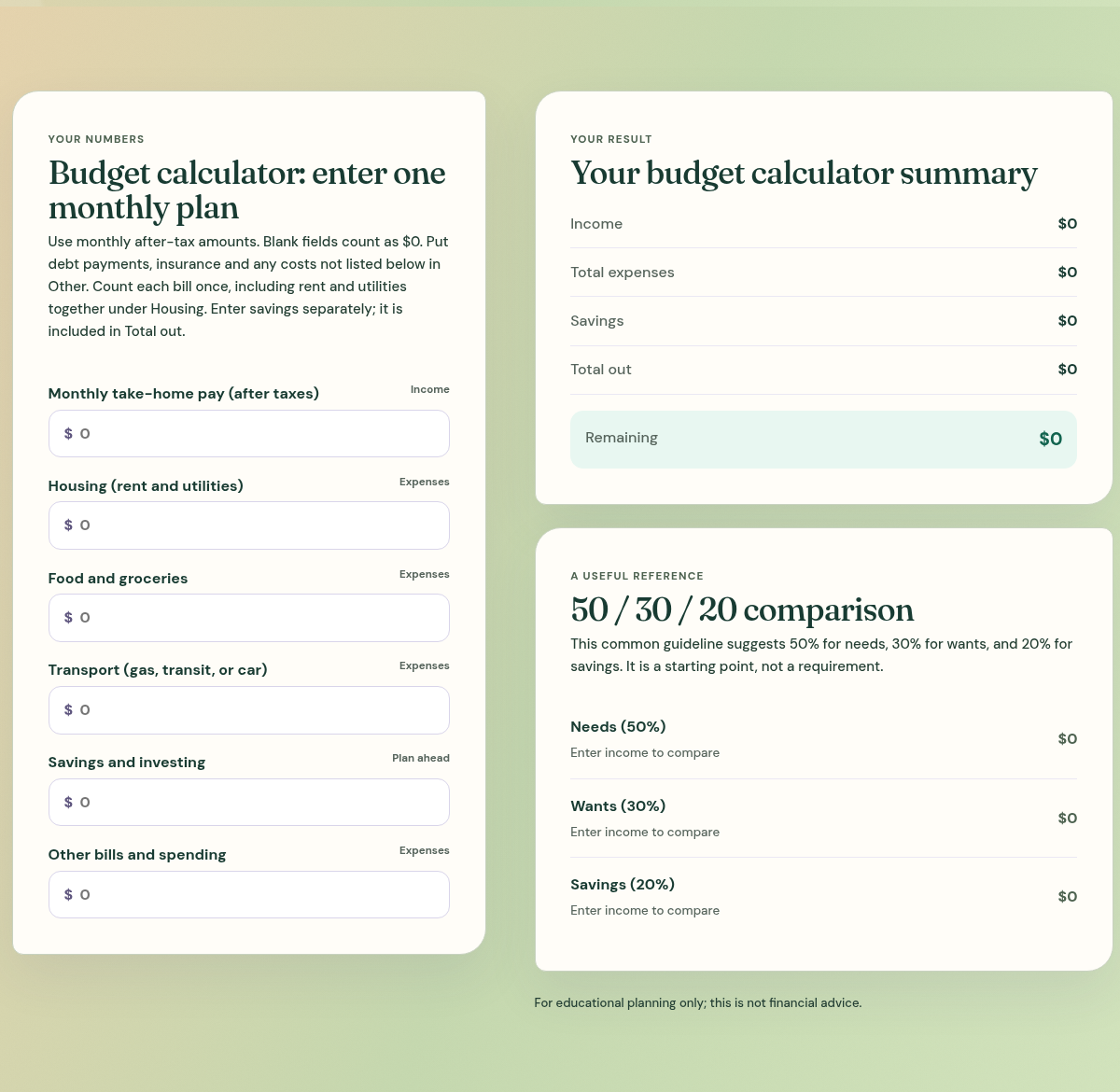
Prepare monthly budget planning figures
Open the interactive tool using the link above. Its fields cover income, housing, food, transport, savings and investing, and other bills and spending. Use monthly after-tax amounts. Include rent and utilities together under Housing; use Other for debt payments, insurance and costs without a separate field.
Count each bill once. Enter savings separately because it is already included in Total out. Blank fields count as zero, which keeps the calculation simple but cannot tell you whether a blank represents no cost or a forgotten cost. Keep a note beside your records when an amount is only an estimate.
Review expenses, savings and remaining income
The summary separates total expenses from savings and combines them in Total out. Remaining is income minus that total. If monthly income is $1,800 and expenses plus savings total $2,000, Remaining is negative $200. That describes the entered plan, not a bank balance or a credit decision.
Check for missing or repeated costs before changing an essential payment. A positive remainder may already be needed for an occasional bill, a repair or a savings goal. The 50/30/20 comparison is a reference point, not a requirement that every household must meet.
Choose one figure to verify next
Replace a guess with a recent bill or confirmed amount, update the field and compare the result. You can then choose a realistic adjustment to timing, spending or income. Revisit the plan when circumstances change; the useful outcome is a clearer decision, not a particular number in the summary.
Use consumer.gov’s budget worksheet to gather income and expenses before working through the calculator.